
WPML/Polylang set theme options

Once WPML/Polylang is installed and the languages configured you have to set the theme options for each language you have added.

In order to set them use the language switcher to switch between your languages in the backend.
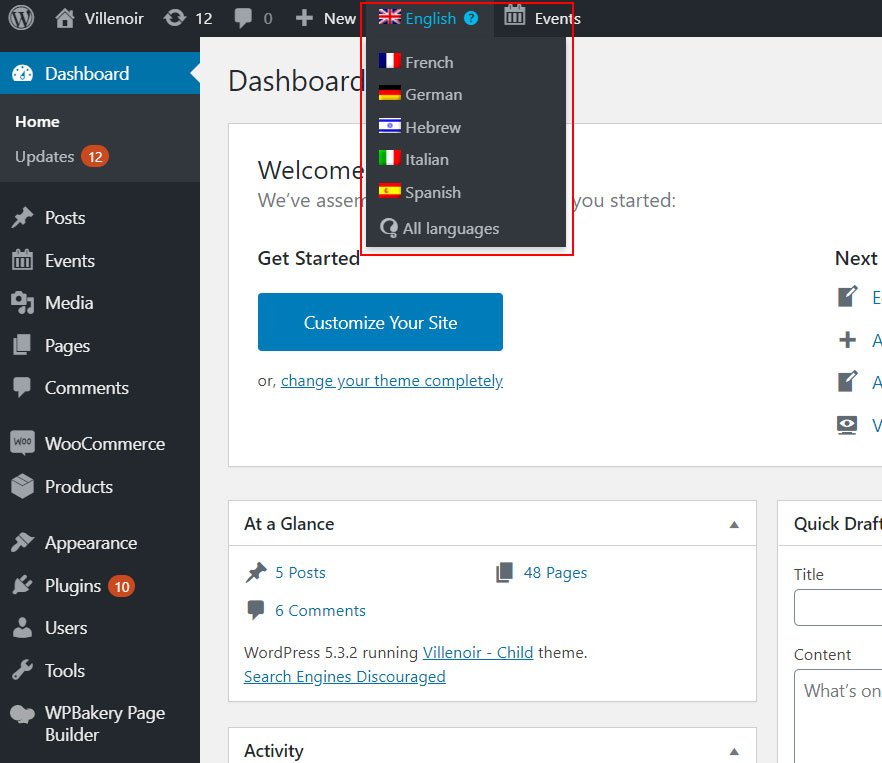
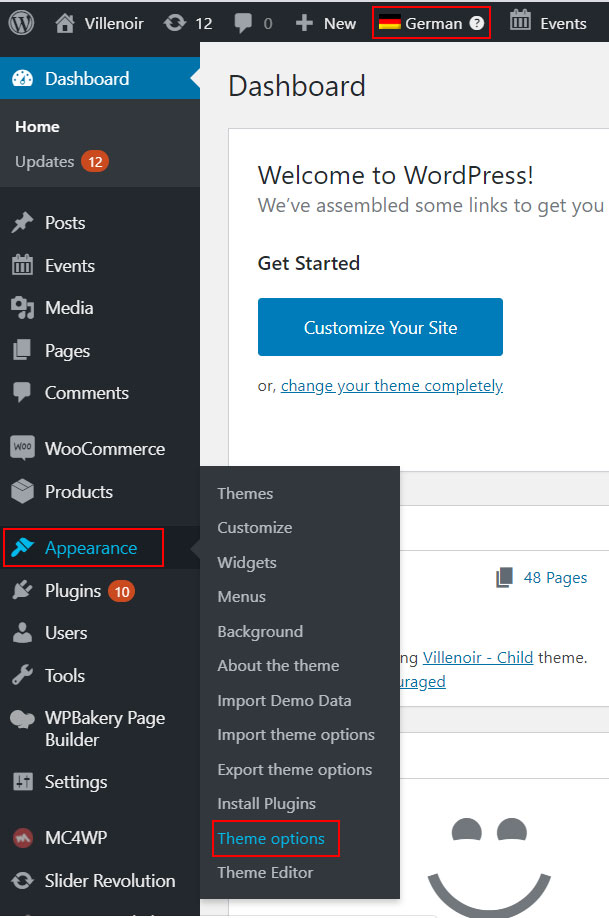
After you click on your desired language, you have to go to Appearance >> Theme Options and set them.
That’s it

Was this article helpful? ·

2 thoughts on “WPML/Polylang set theme options”

  1. Hey there, We recently reviewed okthemes.com and noticed a few signs that your WP setup may be outdated. This is common, but outdated themes and plugins can lead to: – Security vulnerabilities and hacking risks – Slower page load times (hurting